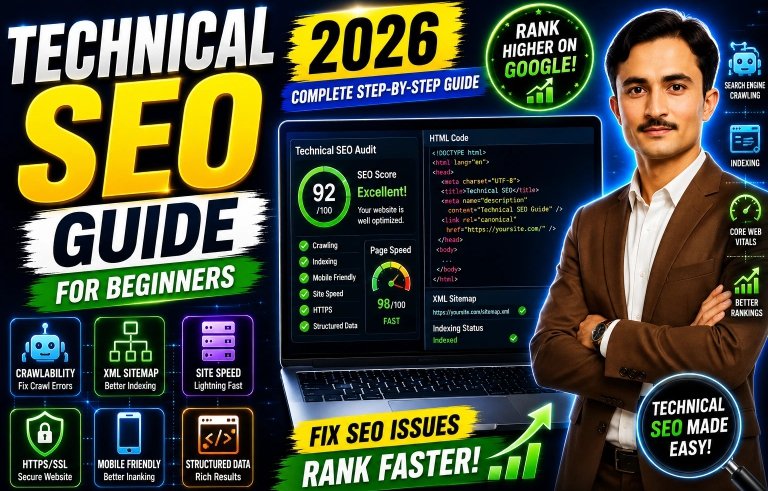
Technical SEO Guide for Beginners (2026 Complete Step-by-Step Guide)
If you have ever built a website and wondered why Google still ignores it, you are not alone. The missing link is almost always technical SEO. This Technical SEO Guide for Beginners (2026 Complete Step-by-Step Guide) will walk you through every essential concept, tool, and tactic you need—without assuming any coding background. By the end, you will know exactly how to make your website fast, crawlable, indexable, and ready to rank in 2026’s AI-driven search landscape.
What Is Technical SEO? (And Why 2026 Changes Everything)
Technical SEO is the process of optimizing your website’s infrastructure so that search engines can discover, crawl, interpret, and index your pages efficiently. Unlike on-page SEO (keywords, meta descriptions) or off-page SEO (backlinks), technical SEO focuses on server settings, site architecture, page speed, structured data, and mobile usability.
In 2026, technical SEO matters more than ever because:
Google’s AI Overviews rely on clean, structured data.
Core Web Vitals remain a confirmed ranking factor.
Mobile-first indexing is the absolute default—no exceptions.
Voice and visual search demand ultra-fast, well-organized content.
Without a solid technical foundation, your beautiful content may never appear in search results. That is why this Technical SEO Guide for Beginners (2026 Complete Step-by-Step Guide) is your new best friend.
Step 1 – Make Your Site Crawlable (Robots.txt & Meta Tags)
Before any page can rank, search engine bots must be able to access it.
Robots.txt File
The robots.txt file (found at yoursite.com/robots.txt) tells crawlers which parts of your site to ignore. Many beginners accidentally block their entire site. Use Google Search Console’s “robots.txt Tester” to ensure you are not disallowing important directories like /blog/ or /products/.
Meta Robots Tags
A <meta name=”robots” content=”noindex”> tag prevents indexing. This is useful for thank-you pages or staging sites, but devastating if applied to your main pages. Audit your site with a free crawler like Screaming Frog (500 URLs free) to catch accidental noindex tags.
Step 2 – Create & Submit Your XML Sitemap
An XML sitemap is a roadmap of all important URLs on your site. It helps search engines discover new or deeply nested pages quickly.
Action plan:
Most CMS platforms (WordPress, Shopify, Webflow) generate sitemaps automatically at /sitemap.xml.
Submit your sitemap to Google Search Console → Sitemaps → enter URL.
Also submit to Bing Webmaster Tools.
Keep your sitemap clean: include only canonical pages, exclude pagination and parameter URLs.
Step 3 – Master Core Web Vitals & Page Speed
Starting in 2026, Google’s Core Web Vitals are more influential than ever. They measure real-world user experience:
Largest Contentful Paint (LCP): loading speed (aim for under 2.5 seconds).
Interaction to Next Paint (INP): responsiveness (under 200 milliseconds).
Cumulative Layout Shift (CLS): visual stability (under 0.1).
How to improve (beginner-friendly):
Switch to a fast hosting provider with built-in caching.
Compress images using WebP or AVIF (plugins like ShortPixel automate this).
Minify CSS, JavaScript, and HTML (WP Rocket or Autoptimize).
Use a Content Delivery Network (CDN) like Cloudflare (free plan available).
Remove unused third-party scripts (fonts, tracking pixels, chat widgets).
Test your site with Google PageSpeed Insights and Chrome Lighthouse. If you are on WordPress, the “Site Health” tab now includes Core Web Vitals recommendations.
Step 4 – Optimize for Mobile-First Indexing
Google predominantly uses the mobile version of your content for indexing and ranking. If your mobile site is incomplete or slow, your rankings will suffer—even if your desktop version is perfect.
Mobile optimization checklist for 2026:
Use responsive design (not separate mobile URLs).
Ensure text is readable without zooming (minimum 16px font size).
Make tap targets (buttons, links) at least 48×48 pixels apart.
Avoid intrusive pop-ups or interstitials that block main content.
Test every page with Google’s Mobile-Friendly Test tool.
Step 5 – Secure Your Site with HTTPS
HTTPS is a lightweight ranking signal, but more importantly, modern browsers label HTTP sites as “Not Secure,” which destroys user trust and click-through rates.
Steps to implement HTTPS:
Install an SSL certificate (many hosts offer free Let’s Encrypt).
Redirect all HTTP traffic to HTTPS using 301 redirects.
Update your canonical tags, sitemap, and internal links to the HTTPS version.
Verify the HTTPS property in Google Search Console.
Step 6 – Use Canonical Tags to Prevent Duplicate Content
Duplicate content confuses search engines and dilutes your link equity. A rel=”canonical” tag tells Google which version of a page is the master copy.
Where duplicates happen:
Product pages with sorting parameters (?color=red)
Printer-friendly versions
HTTP vs. HTTPS or www vs. non-www
Add <link rel=”canonical” href=”https://example.com/master-page/” /> in the <head> section of duplicate pages. Most SEO plugins (Yoast, Rank Math) handle this automatically.
Step 7 – Add Structured Data (Schema Markup) for Rich Results
Structured data is code that helps search engines understand your content’s context. In 2026, AI search engines rely heavily on schema to generate direct answers and rich snippets.
Best schema types for beginners:
Article – for blog posts and news.
Product – for e‑commerce items (price, availability, reviews).
LocalBusiness – for brick-and-mortar stores.
FAQ – but be aware Google recently restricted FAQ visibility to authoritative domains.
How to implement:
Use Google’s Structured Data Markup Helper (point-and-click).
Generate JSON-LD code and paste it into your page’s <head>.
Test with Google’s Rich Results Test tool.
For WordPress, use Schema Pro or Rank Math’s built-in schema generator.
Step 8 – Clean URL Structure & Smart Internal Linking
URL Structure
Clean, descriptive URLs help both users and crawlers. Avoid strings of numbers or parameters (/p=123). Instead use:
yoursite.com/technical-seo-guide-beginners
Internal Linking
Internal links distribute “link juice” and help crawlers discover deeper pages. Every important page should receive links from relevant, higher-authority pages on your site.
Best practices:
Use descriptive anchor text (not “click here”).
Link from old, popular posts to new ones.
Avoid linking to redirects or broken pages.
Audit internal links with Ahrefs Webmaster Tools (free).
Step 9 – Monitor Crawl Errors & Indexing Health
Google Search Console is your command center. Set up a monthly routine to check:
Coverage report – pages excluded from indexing with specific errors (404, soft 404, redirected).
Crawl stats – how often Googlebot visits and how many kilobytes per request.
Core Web Vitals report – real-user data from Chrome.
Also watch for redirect chains (A → B → C) and orphan pages (no internal links pointing to them).
Step 10 – Prepare for AI Overviews & Voice Search (2026 Edge)
In 2026, technical SEO now includes optimizing for AI-generated answers and voice assistants like Siri, Alexa, and Google Assistant.
What to do:
Use clear, concise headings (H1, H2, H3) that answer direct questions.
Add HowTo and Q&A structured data where relevant.
Write in natural, conversational language (long-tail question phrases).
Ensure your site works with HTTP/3 and IPv6 for future networks.
Common Beginner Mistakes to Avoid
Blocking CSS/JS in robots.txt – This prevents Google from rendering your pages correctly.
Using multiple hreflang tags incorrectly – If you target multiple languages, study Google’s hreflang guide carefully.
Forgetting to update your sitemap after site migrations – Always resubmit after a redesign or domain change.
Ignoring log files – They reveal which pages Google actually crawls vs. which you think it crawls.
Essential Tools for Your Technical SEO Toolkit
ToolUse CasePriceGoogle Search ConsoleIndexing, crawl errors, Core Web VitalsFreeScreaming Frog SEO SpiderCrawl up to 500 URLs, find broken linksFreePageSpeed InsightsSpeed analysis & fixesFreeMobile-Friendly TestQuick mobile usability checkFreeAhrefs Webmaster ToolsSite audit & internal link analysisFreeCloudflare CDNGlobal speed & securityFree tier
Your 30-Day Technical SEO Action Plan
Here is a realistic month-long plan to implement everything in this Technical SEO Guide for Beginners (2026 Complete Step-by-Step Guide) :
Week 1 – Foundation
Set up Google Search Console & Bing Webmaster Tools.
Submit your XML sitemap.
Check robots.txt and fix any accidental disallows.
Run a crawl to find noindex tags and broken links.
Week 2 – Speed & Mobile
Test Core Web Vitals via PageSpeed Insights.
Implement caching, image compression, and a CDN.
Run the Mobile-Friendly Test on your top 10 pages.
Fix any mobile usability issues (tap targets, small text).
Week 3 – Security & Structure
Install SSL certificate (if not already) and force HTTPS redirects.
Set canonical tags on parameterized pages.
Audit your URL structure; rewrite messy URLs with 301 redirects.
Build a simple internal linking plan for your cornerstone content.
Week 4 – Structured Data & Monitoring
Add one schema type (start with Article or Product) to key pages.
Test with Rich Results Tool.
Review Google Search Console’s Coverage report and fix remaining errors.
Set up monthly calendar reminders to repeat checks.
Final Thoughts
Technical SEO is not a one-time project—it is an ongoing discipline. But with this Technical SEO Guide for Beginners (2026 Complete Step-by-Step Guide), you have a clear, repeatable process that any beginner can follow. Start with week one, and do not try to do everything at once. Each small improvement (faster image, cleaner sitemap, smarter internal link) compounds over time. By the end of 30 days, your site will load faster, crawl more efficiently, and rank higher. Now go ahead—take the first step today. Your future organic traffic will thank you.